Free iPhone appNo account25 languages
Track your blood pressure. Understand every reading.
Log every cuff reading in seconds and see straight away where it falls. Check your pulse with your camera. Blood sugar and oxygen too.
Scan with your iPhone camera
- Free to download
- Readings stay on your iPhone
- iOS 16.4 or later
Features
Everything your doctor asks about, in one diary
Blood pressure and heart rate are free. Pro adds blood sugar, blood oxygen and the scores from an Advanced heart rate recording.
- Free
Blood pressure log
Type in systolic, diastolic and pulse from your cuff. A reading takes about ten seconds to save.
- Free
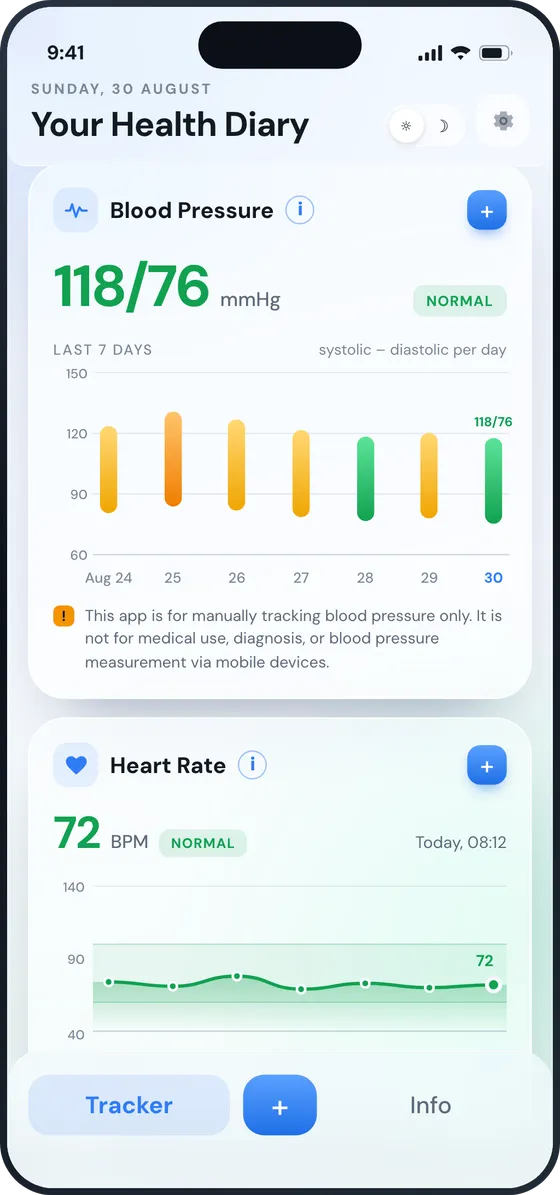
Colour-coded ranges
Every reading is placed in the American Heart Association’s categories: normal, elevated, high or very high.
Try the checker → - Free
Charts and trends
The last seven days on your home screen, with week, month and year views when you want the bigger picture.
- Free
Heart rate with your camera
Rest a fingertip on the rear camera and flash, and get your pulse in about 20 seconds.
How it works → - Pro
HRV and stress
The Advanced recording takes 22 seconds and adds heart rate variability, a stress score and an energy score.
- Pro
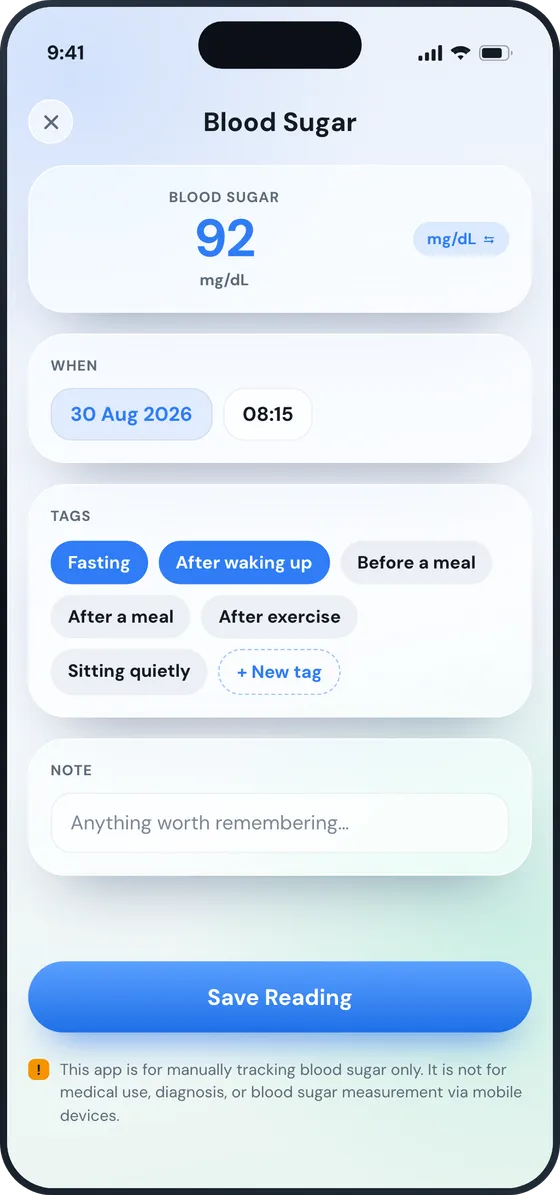
Blood sugar
Log glucose before or after meals in mg/dL or mmol/L, with its own chart and reference range.
- Pro
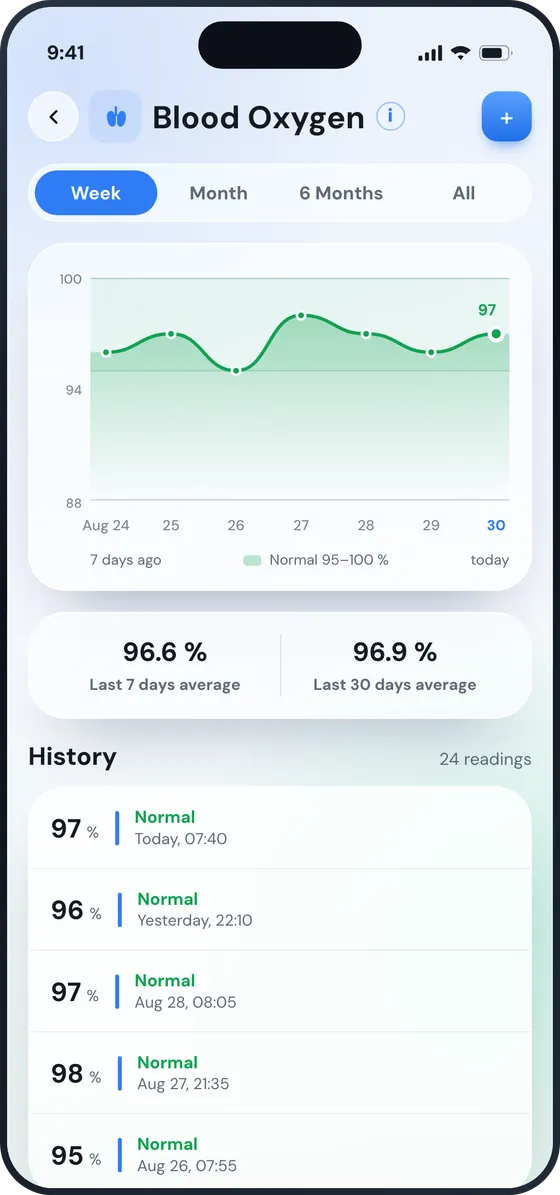
Blood oxygen
Keep SpO2 readings from your pulse oximeter next to your blood pressure.
- Free
Tags and notes
Sitting or standing, left arm or right, before or after medication. The context that makes a number mean something.
- Free
Ready for your doctor
Export your readings as a CSV file and send them by email, AirDrop or Messages.
- Free
Reminders
A morning and an evening reminder, so taking your reading becomes part of your day.
- Free
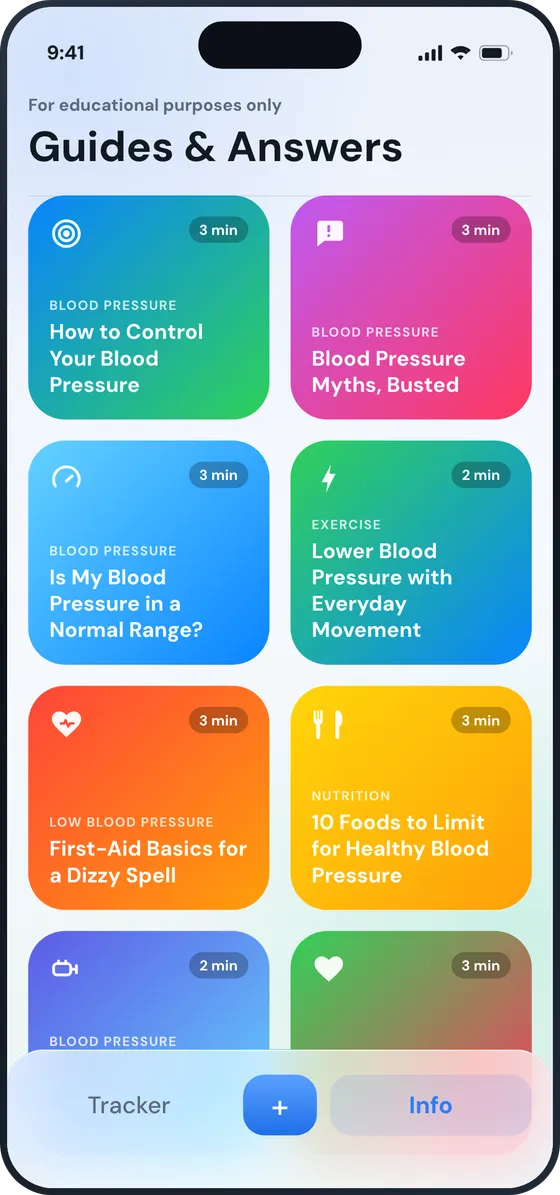
Guides in 25 languages
18 plain-language guides on blood pressure, heart rate, food, sleep and stress, from MedlinePlus and CDC sources.
Read the guides → - Free
Private by design
No account and no sign-up. Your readings are stored on your iPhone, and you can delete any of them at any time.
How it works
From your cuff to your doctor in four steps
-
Take your reading
Use a home blood pressure monitor, ideally an upper-arm cuff. Sit quietly for five minutes first.
-
Log it in seconds
Tap +, type the numbers from the cuff’s screen and add a tag if you like.
-
See where it falls
The reading is coloured by its category and added to your seven-day chart.
-
Share it with your doctor
Before an appointment, export your readings as a CSV file and send them over.
Free tool
Is my blood pressure normal?
Type in a reading from your cuff to see which category it falls in, and what that means. It’s the same check BP Record runs on every reading you log.
Track every reading in the appType both numbers from your cuff to see which range your reading falls in.
If you also have chest pain, shortness of breath, back pain, numbness or weakness, a change in vision, or trouble speaking, call emergency services now. Otherwise, wait five minutes and take your reading again. If it’s still this high, contact your doctor straight away.
| Category | Systolic | Diastolic | |
|---|---|---|---|
| Low | Under 90 | or | under 60 |
| Normal | Under 120 | and | under 80 |
| Elevated | 120–129 | and | under 80 |
| High (Stage 1) | 130–139 | or | 80–89 |
| High (Stage 2) | 140 or higher | or | 90 or higher |
| Very High | Over 180 | and/or | over 120 |
Categories follow the American Heart Association’s published ranges for adults. This is reference information, not a diagnosis. One reading is a snapshot. Always consult a licensed medical professional about your health.
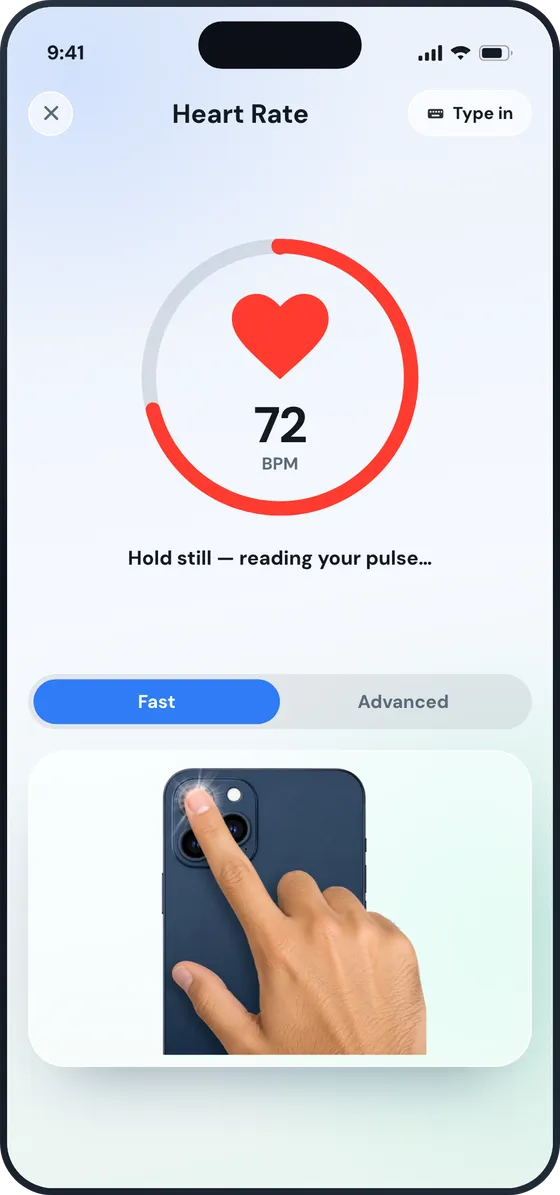
Heart rate
Check your pulse with your iPhone camera
Rest a fingertip over the rear camera and flash. BP Record picks up the tiny changes in colour as blood pulses through your finger, and shows your heart rate in about 20 seconds.
- Fast: your heart rate in 20 seconds, free
- Advanced: 22 seconds, adding heart rate variability and a stress score (Pro)
- Type it in from a watch or monitor instead, if you prefer
For fitness and wellness only. The camera checks your heart rate, not your blood pressure.
Compare
How BP Record compares
An honest look at the free blood pressure apps for iPhone, from their own App Store listings.
| App | Best for | App Store rating | Paid options | Apple Health |
|---|---|---|---|---|
| BP Record | Blood pressure, pulse, sugar and oxygen in one diary | New | Optional Pro subscription for blood sugar, oxygen and HRV | No |
| Apple Health | No extra app at all | 3.0 (9K) | None | Yes |
| BP diary (self-monitoring) | A simple log with no purchases | 4.9 (9K) | None | Not listed |
| SmartBP | Apple Watch and detailed reports | 4.5 (61K) | Optional Premium subscription or lifetime purchase | Yes |
| OMRON connect | People who own an OMRON cuff | 4.7 (104K) | Optional Premium subscription | Yes |
All are free to download. Ratings and purchase options are from each app’s US App Store listing, November 2026.
Guides & answers
Understand your numbers, in plain language
New guides are added here regularly, and 18 more are inside the app in all 25 languages.
- Apps & tools Best Free Blood Pressure Apps for iPhone (2026) Read the guide →
- Blood pressureIn the app Is My Blood Pressure in a Normal Range? Read it in the app →
- Blood pressureIn the app How to Take an Accurate Reading at Home Read it in the app →
- NutritionIn the app 10 Foods to Limit for Healthy Blood Pressure Read it in the app →
- Low blood pressureIn the app What Is Hypotension? Read it in the app →
- Heart rateIn the app What Your Resting Heart Rate Tells You Read it in the app →
Questions
Frequently asked questions
Can this app measure my blood pressure with the iPhone camera?
No. BP Record doesn’t measure blood pressure. You take a reading with your own blood pressure monitor, and use the app as a digital diary to keep track of your numbers every day. The camera is only used to check your heart rate.
Is the blood pressure app free?
Yes, it’s free to download. Blood pressure and heart rate tracking are free. Pro adds blood sugar, blood oxygen, and the heart rate variability and stress scores from a camera recording.
How does the heart rate check work?
Rest a fingertip over the rear camera with the flash on. Each heartbeat changes how much light passes through your finger, and the app counts those changes. Fast mode takes 20 seconds; Advanced takes 22 and adds heart rate variability. It’s for fitness and wellness only.
Where are my readings stored?
On your iPhone. There’s no account to create, and you can delete any reading at any time.
Can I share my readings with my doctor?
Yes. Export your readings as a CSV file and send it by email, AirDrop or Messages, or save it to Files.
What do the colours on my readings mean?
Each blood pressure reading is placed in the American Heart Association’s published categories: low, normal, elevated, high (stage 1 and 2) and very high. They’re reference information, not a diagnosis.
Which iPhones does it work on?
Any iPhone running iOS 16.4 or later. The app is available in 25 languages.
Start your blood pressure diary today
Free on the App Store. Your first reading takes about ten seconds.